

Bale Storages v 1.4

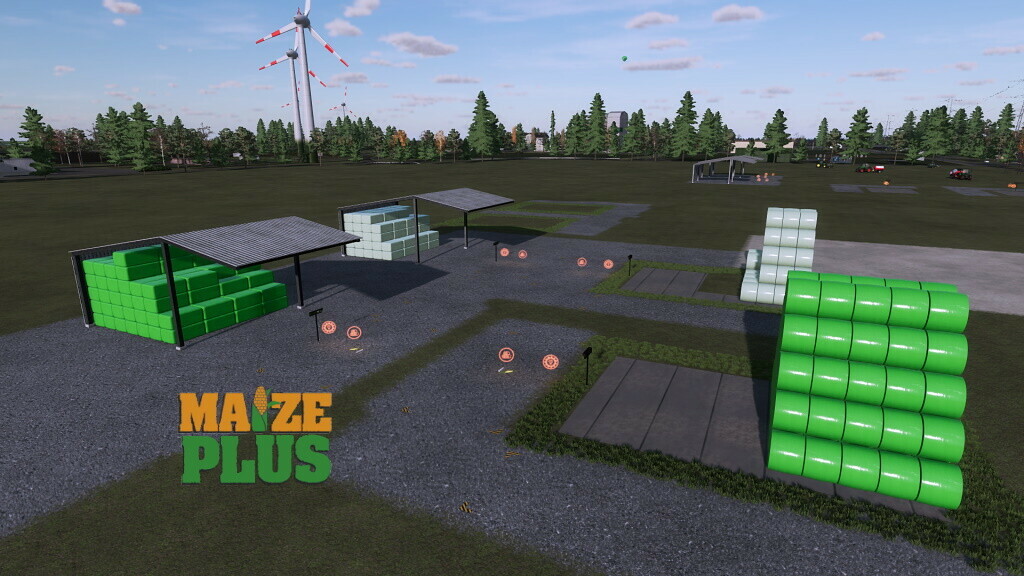
Bale Storages v 1.4
Storages for Round and Square Bales.
Round Bale Storage:
– Hay, straw, grass, silage, woodchips, alfalfa, alfalfa hay, clover, clover hay, lavender, cotton, Grass Silage and Maize Silage
– Capacity: 2600000 liters (hay, straw, grass, silage, alfalfa, alfalfa hay, clover, clover hay, Grass Silage, Maize Silage), 1900000 liters (woodchips) 1800000 liters (lavender, cotton)
Square Bale Storage:
– Hay, straw, grass, silage, alfalfa, alfalfa hay, clover, clover hay, lavender, cotton, Grass Silage and Maize Silage
– Capacity: 2500000 liters (hay, straw, grass, silage, alfalfa, alfalfa hay, clover, clover hay, Grass Silage, Maize Silage), 1200000 liters (lavender, cotton)
Tarpaulins and roof with color choice
Only storages for existing Filltypes are shown
Version 1.4:
* Own storages for alfalfa, alfalfa hay, clover, clover, lavender hay, Grass Silage and Maize Silage added. Only available when in the game available