
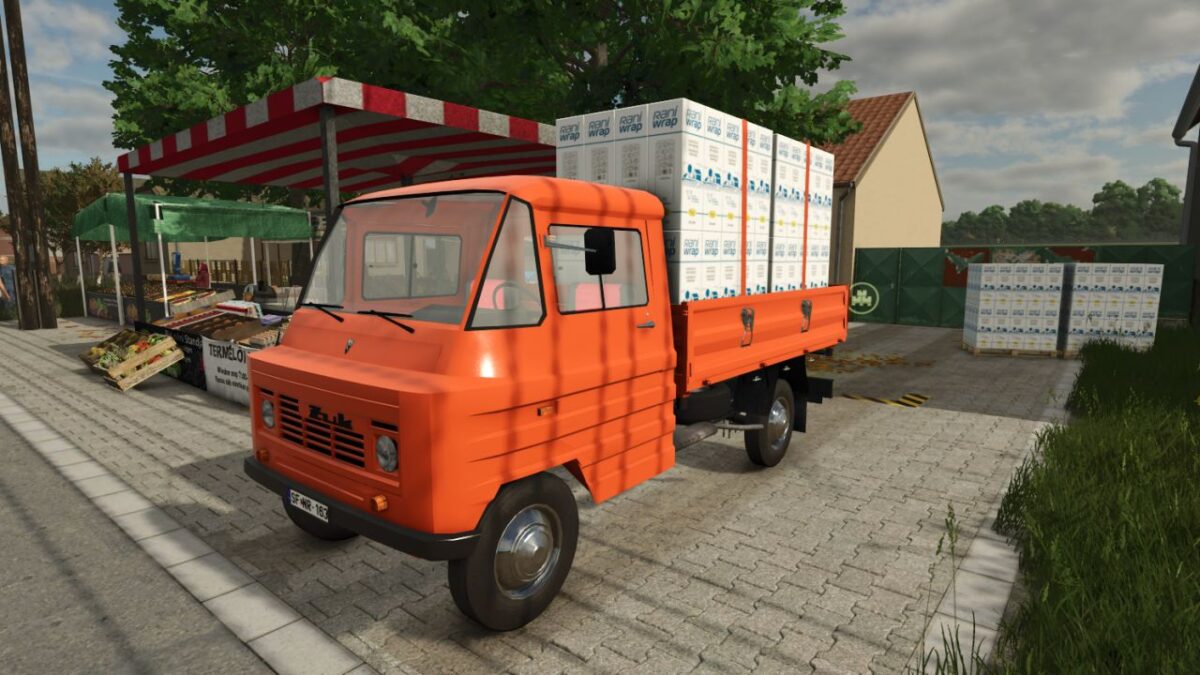
Zuk A-15M v 1.0

FS25 mods

Zuk A-15M v 1.0

About the mod:

Main Features & Benefits:
Authentic Appearance: A highly detailed model that faithfully recreates the updated, squarer front end and the signature ribbed side panels that are the trademark of the Żuk.
Versatile Transport Capacity: The wooden flatbed with drop-sides is ideal for transporting pallets (e.g., seeds, wrap, fertilizer), big bags, wool, or smaller equipment.
Excellent Maneuverability: Thanks to its compact size, you can easily navigate through the tightest farmyards, orchards, and greenhouses.
Retro Driving Experience: Period-correct cabin interior, dashboard instruments, and unique engine sounds that will take you back in time.

Credits:
honved4

How to install FS19 mods?

Firstly find a mod which you like and want to download. Then download a mod to your PC. Mods are usually in .zip format file. But sometimes it can be in .rar. If a mod file is a .zip format no needed additional actions. If a file is in .rar, then you must unarchive mod with software like WinRar or Zip7. Windows 10 users no need to use software for archives, Win10 itself has a feature to unarchive files.

The next step is to find mods folder in your PC. Usually, it is in Documents/My Games/Farming Simulator 19/2019. Open the "mods" folder and put downloaded .zip archive or unarchived .rar file to this folder.

Last step. Enjoy of FS19 mods!

Leave a Reply

Your email address will not be published. Required fields are marked *