

Motor Load HUD v 1.0

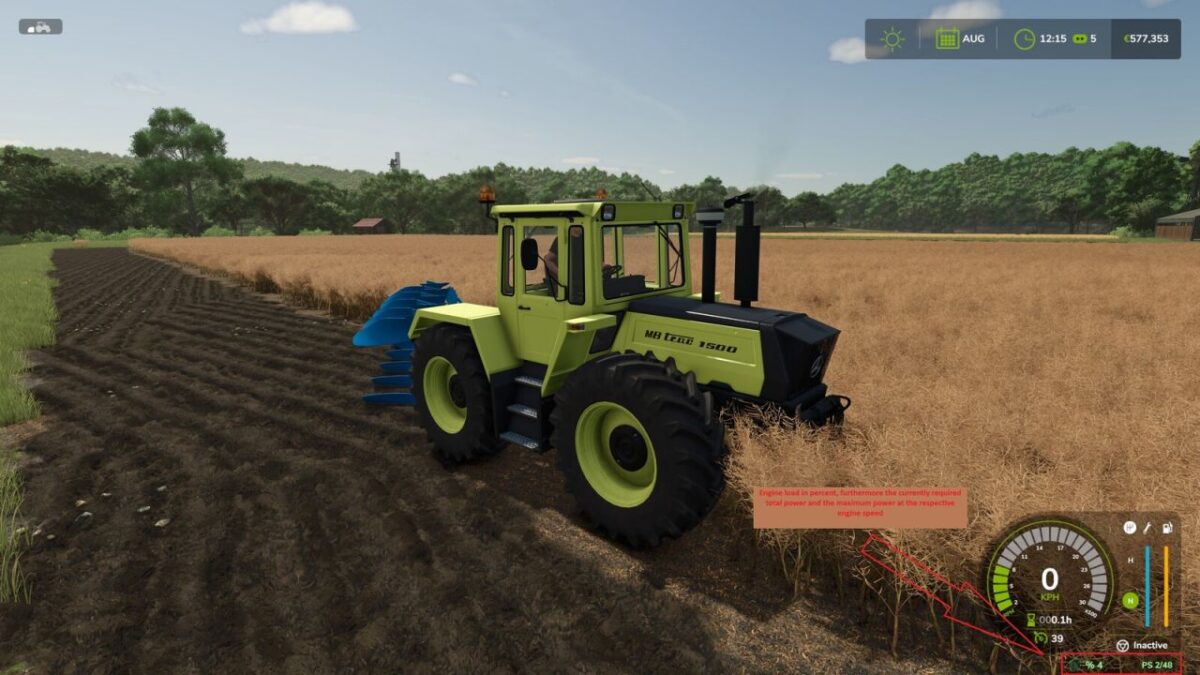
Motor Load HUD v 1.0
About the mod:
Motor Load HUD adds a compact information display to the lower right corner of the screen while the player is seated in a motorized vehicle.
Displayed information:
– Current engine load in percent
– Estimated engine power currently being used
– Available engine power at the current engine speed
The display appears automatically when entering a supported motorized vehicle and disappears when leaving it.
Controls: No additional controls are required.
The mod does not change vehicle performance, vehicle configurations or savegame data.
The HUD is calculated locally and is compatible with multiplayer.
Credits:
Dr.Fajen