

Realistic Harvesting v 1.5.3.0


Realistic Harvesting v 1.5.3.0
Realistic Harvesting for FS25
Transform your harvesting experience into true agricultural simulation! Combines can no longer unrealistically sprint at full speed through dense crops without consequences. Working speed, engine load, and yield efficiency are dynamically driven by crop density, cutting width, moisture, and your machine’s mechanical calibration.
Key Features
Physics-Based Engine Load & Speed: Ground speed dynamically adapts based on harvested crop mass (t/h), header width, and vehicle horsepower. Overloading the engine or using incorrect settings results in real grain loss.
All Machine Types Supported: Fully calibrated physics for Grain Combines, Forage Harvesters (chaff/silage), Root & Vegetable Harvesters (potatoes, beets, carrots, parsnips, spinach, peas), Cotton, and Sugarcane.
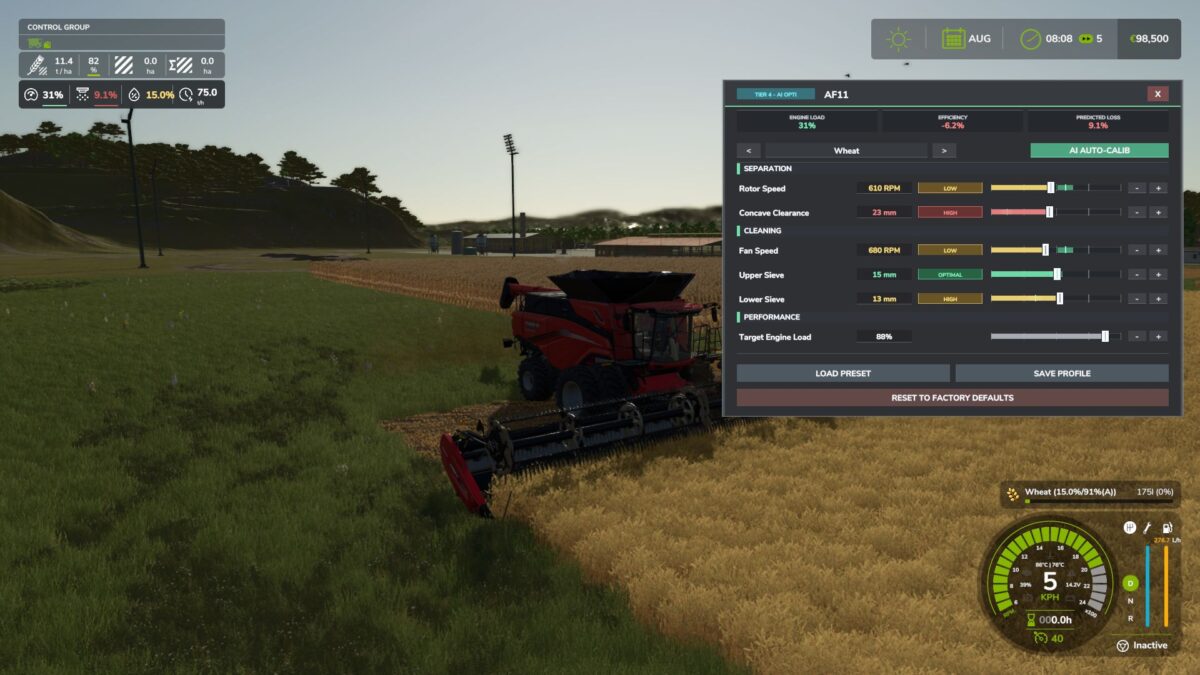
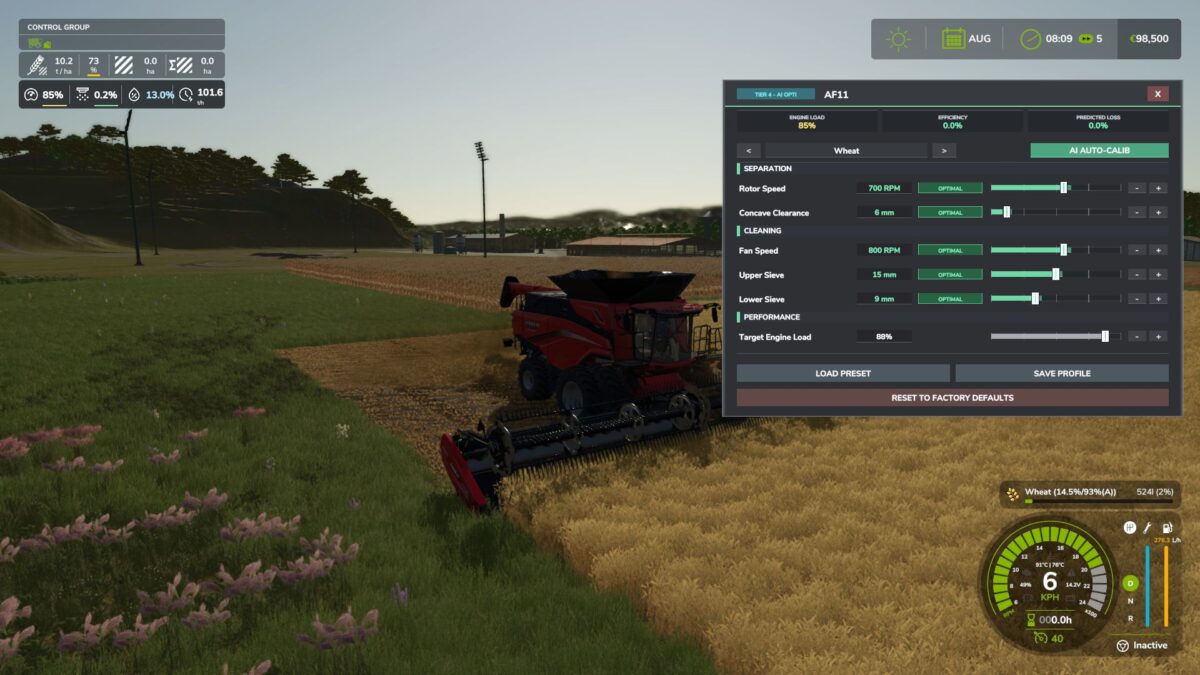
Interactive Combine Calibration (`RShift + K`): Calibrate Rotor/Drum RPM, Concave Clearance, Fan Speed, and Sieves for each crop. Correct settings ensure maximum yield and minimum loss.
Workshop Upgrade Packages (Tiers 1–4): Upgrade your combine at the shop:
Level 1 (Standard): Fully manual operation.
Level 2 (Sensor Kit): Displays calibration guidance hints (low / optimal / high).
Level 3 (Yield Monitor): Real-time yield (t/ha, bu/ac), area rate (ha/h), and moisture telemetry.
Version 1.5.3.0:
– NEW: In-Game Help Pages & Interactive Guide Overhaul!
Fully restructured all 9 In-game Help tutorial pages in the ESC menu (Overview, Engine Load, Crop Losses, Cutterbar &
Header, Threshing Settings, Crop Profiles, Electronics Tiers, Moisture & Weather, Mod Compatibility).
Rewritten in clean, native GIANTS handbook style with structured bullet points, eliminating technical jargon, formulas, and visual clutter.
Complete, high-quality localization across 15 languages (EN, UK, DE, FR, PL, ES, IT, CZ, BR, PT, HU, RO, NL, TR, RU).
– NEW: Interactive On-Screen Notification Dialogs!
Added non-intrusive contextual notification banners for key harvesting events (first-time combine setup, overload warning, optimal tuning).
Styled with a sleek, dark rounded panel and integrated input glyphs; dismissible via Left Mouse Click (LMB) or configurable hotkey.
– NEW: Player Settings Protection from AI Helpers & Courseplay!
Added dedicated aiHelperTuning setting (Keep Player Settings / Always AI Tune / Disabled).
When set to ‘Keep Player Settings’, hired AI workers and Courseplay will never overwrite player-calibrated combine settings.
Calibration GUI (Right Shift + K) can now be opened while an AI worker or Courseplay is actively driving to inspect or tweak settings on the fly.
Automatically loads and respects player-saved crop profiles for hired workers.
– NEW: Smooth Hydrostatic Cruise Control & Crop Speed Memory!
Replaced abrupt speed steps with continuous exponential hydrostatic smoothing (tau filtering) for realistic acceleration and braking under load.
Hermite S-curve transit ramp eases feederhouse entry, preventing sudden stops when entering thick crop stands.
Per-crop harvesting speed memory (cropHarvestingSpeeds) remembers the optimal pace for each crop across headland turns.
Fixed speed limit oscillation and erratic jerking when reversing.
– NEW: In-Cabin Overload & High-Loss Audio Alarm!
Added electronic in-cabin warning buzzer triggering during critical engine overload (98%+) or excessive grain loss (> 4.0%).
Seamless audio propagation between 1st person cabin view and 3rd person exterior camera with intelligent volume balancing (+25% exterior boost).
Dedicated audio settings in ESC menu to toggle alarms and adjust master volume (50% – 150%).
– IMPROVED: Hopper Ground Truth Crop Detection & Advanced Machine Classification!
Hopper fill level (> 50 L) now acts as authoritative ground truth for active crop selection, eliminating header boundary overlap errors and false resets.
Robust multi-map crop classification distinguishes grain legumes (BEANS, FABABEAN) from specialty root crops (GREENBEAN).
Non-grain crops (grapes, olives, weeds) are strictly excluded from standard combine harvesters.
Physical ASABE calibration models automatically generated for custom map grain legumes.
– IMPROVED: HUD Telemetry & Precision Farming Docking!
Dynamic mechanical stress row coloring (white -> yellow -> orange -> pulsing red critical alert).
Zero-gap magnetic docking underneath the Precision Farming yield display box, adapting to F1 Help menu visibility.
Added live target speed readout in the HUD telemetry capsule.
Added Right Shift + H quick toggle hotkey to show/hide the RHM HUD.
– FIXED: Interactive Control & HeadTracking Input Conflict Resolution!
Integrated dedicated compatibility mediator (RHM_ModCompatibility) for FS25_interactiveControl and FS25_headTrackICextension.
Suspends in-cab click point detection and fullscreen overlay capture while the RHM calibration GUI is active, preventing frozen mouse clicks.
Eliminated camera rotation and cursor lock issues with Courseplay and AutoDrive.
– FIXED: Savegame XML Schema Validation & Multi-Vehicle Persistence!
Fully registered #isCalibrated and #calibratedCrops within the GIANTS savegame_vehicles schema, eliminating Path not registered console errors in vehicles.xml.
Safe loading wrappers (hasProperty and pcall) prevent savegame corruption or crashes when updating existing careers.
– OPTIMIZED: Performance & Garbage Collector Overhead!
Replaced dynamic sliding-window tables in hot loops with fixed O(1) ring buffers, completely eliminating GC allocation spikes and micro-stutters during harvesting.
Enhanced dedicated server network stream synchronization for seamless multiplayer joining.
Level 4 (Opti-Harvest AI): Automatic settings calibration and automated speed management.
AI & Courseplay Compatibility:** AI helpers and Courseplay workers automatically utilize your saved profiles or optimal calibrations.
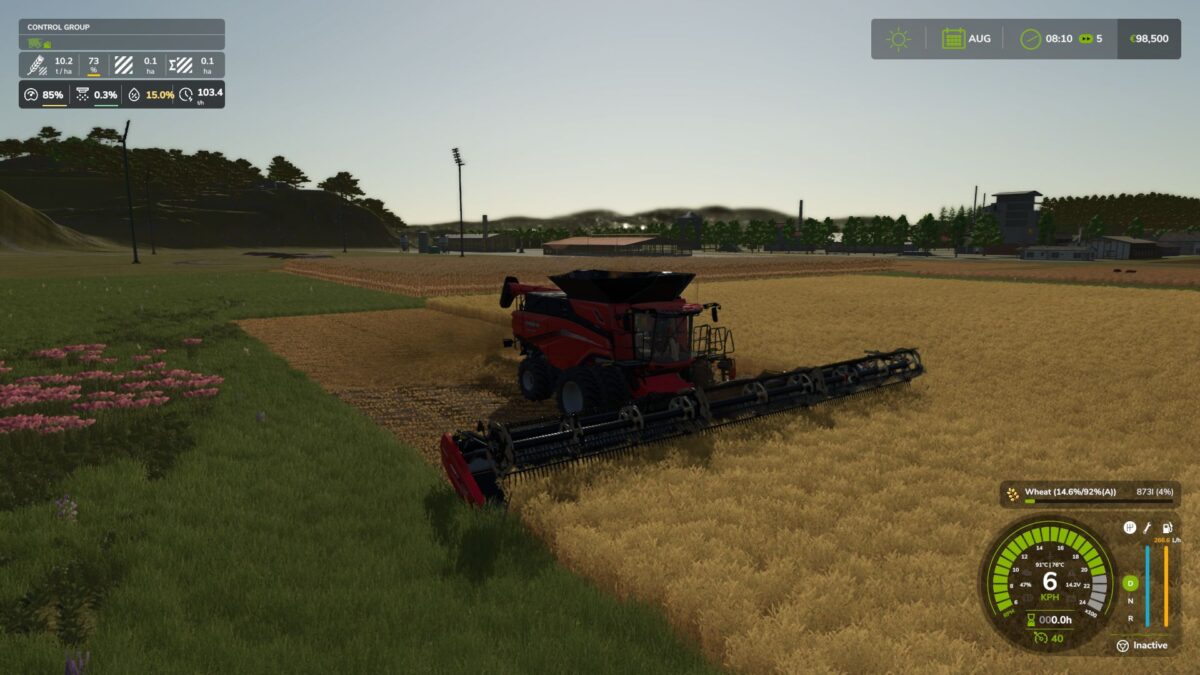
Draggable HUD: Clean, movable on-screen display showing live Engine Load, Productivity (t/h, ha/h), Crop Loss %, and Moisture.
Global Crop Profiles: Save your favorite tuning once — profiles automatically load across your combines and savegames.
3 Difficulty Modes (ESC Settings): Choose between Arcade (relaxed), Normal (balanced), or Realistic (strict physical limits and penalties).