

Bull Milk Production v 1.0

Bull Milk Production v 1.0
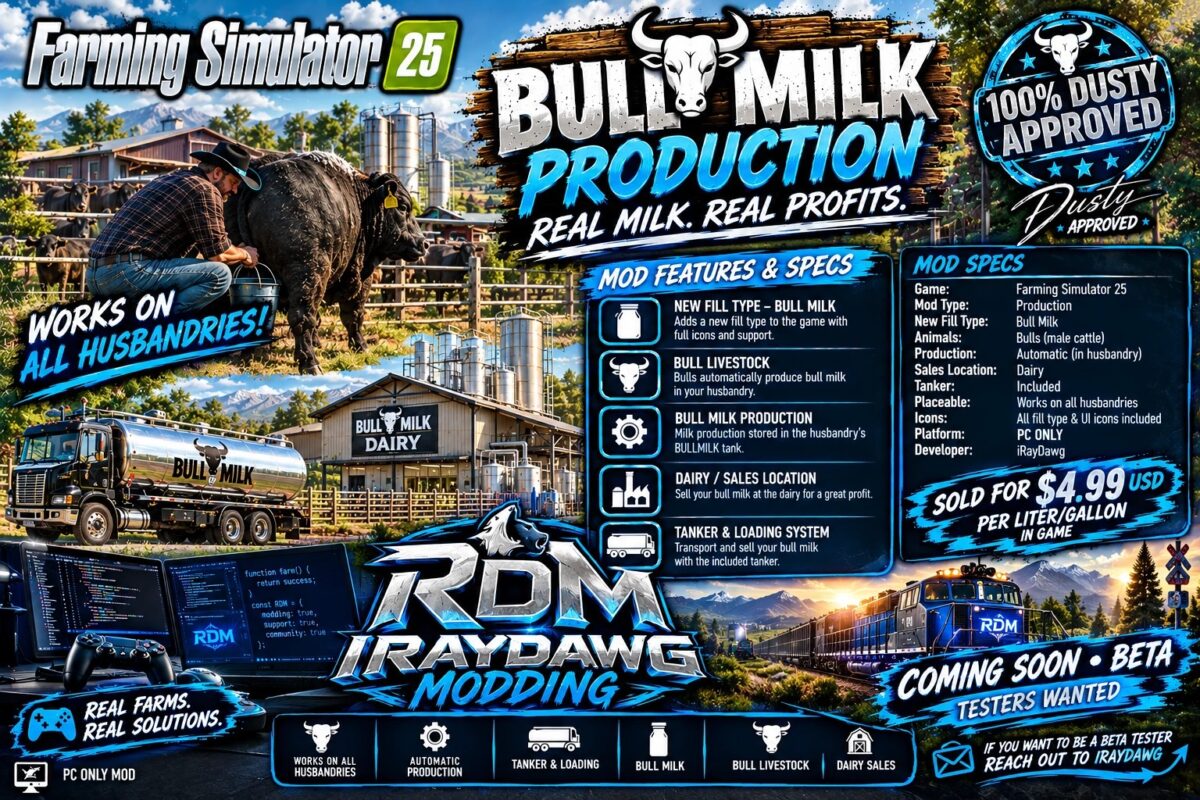
This mod adds bull milk into Farming Simulator 25 as a produced product from cows that you can sell for a profit. It currently does not have any other use in the game.
Adds Bull Milk to Farming Simulator 25.
Notes:
– Works with existing/previous FS25 saves; a new save is not required but recommended.
– On an existing save, enable this mod when loading the save and let the map finish loading once so existing cow husbandries can be upgraded automatically.
– Existing save progress is not reset or replaced.
– May cause conflict with other mods that alter animals in any way. Not tested!
Mod Prices and Production Rates:
– Production rate is currently set at 200% x2 over the normal production rate of milk.
– Price of Bull Milk is currently set at $4.99 USD per liter/gallon sell price.
Required Additional Mods:
– A truck or trailer that will support the transportation of the Bull Milk.
– Or use the provided trailer in the mod.
This version has a dependency on Animal Package Vanilla Edition on the ModHub.
BULLMILK is a non-bulk liquid fill type and is included in the LIQUID category.
It integrates with male COW subtypes supplied by the Animal Package – Vanilla Edition and automatically adds Bull Milk storage to standard cow husbandries on the map.
Functions of this mod:
– Injects the filltype Bull Milk and makes some modifications to storage of husbandries.
– Adds Bull Milk to husbandry loading triggers and refreshes the husbandry loading station so Bull Milk appears when filling compatible milk tankers.
– Does not alter the female cow milk production so both can be in the same husbandry.
– Bull milk can be sold any where regular milk is sold on the map.
– Can be used on new saves and existing saves.
– With the help of Animal Package Vanilla Edition, it adds bulls cows into the game.
This mod was built special for Dusty! Developed and coded by iRayDawg PC ONLY MOD
This is just a simple drag and drop mod that depends on the “Animal Package – Vanilla Edition” Mod from the in-game mod hub to function correctly.