

VAT System v1.0.0.0

VAT System v1.0.0.0
VAT system for Farming Simulator 25.
This mod expands the financial management system with configurable VAT functionality. It is primarily intended for realistic multiplayer, roleplay and economy projects where VAT should not only be simulated, but also assigned to a designated farm acting as the VAT recipient.
HOW IT WORKS
Prices, sales revenue and farm-to-farm transfers handled by the mod are treated as gross amounts. VAT is not added on top of the displayed amount. Instead, the mod calculates the VAT already included in the gross amount according to the configured VAT rate.
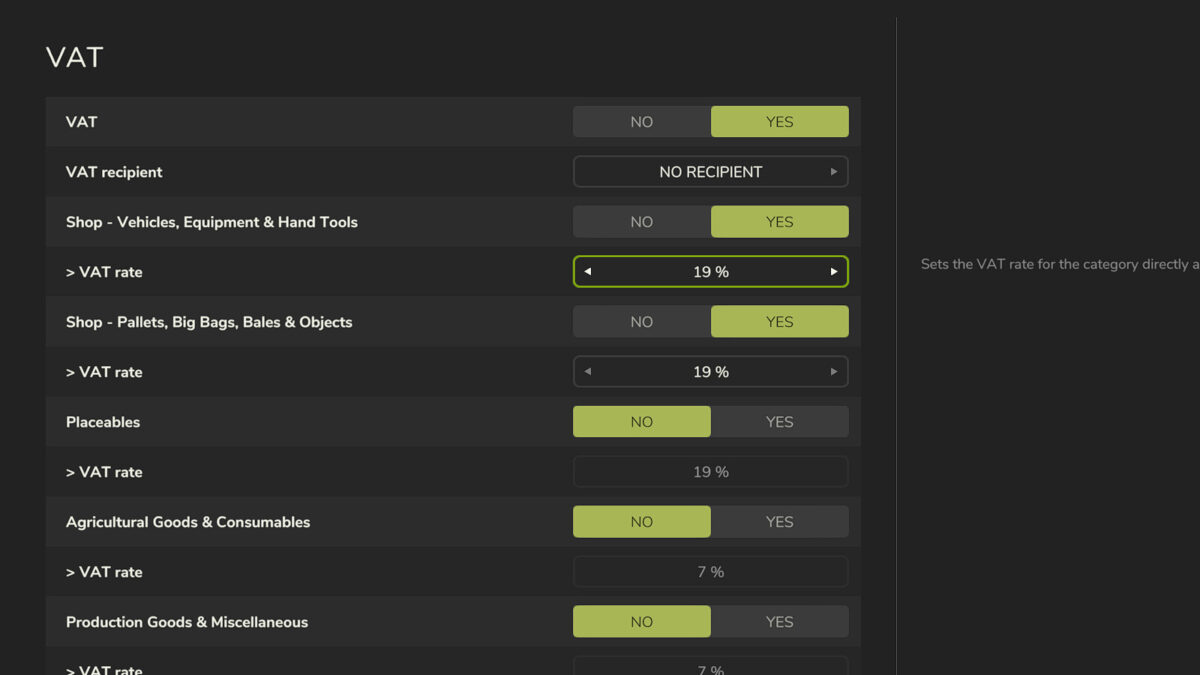
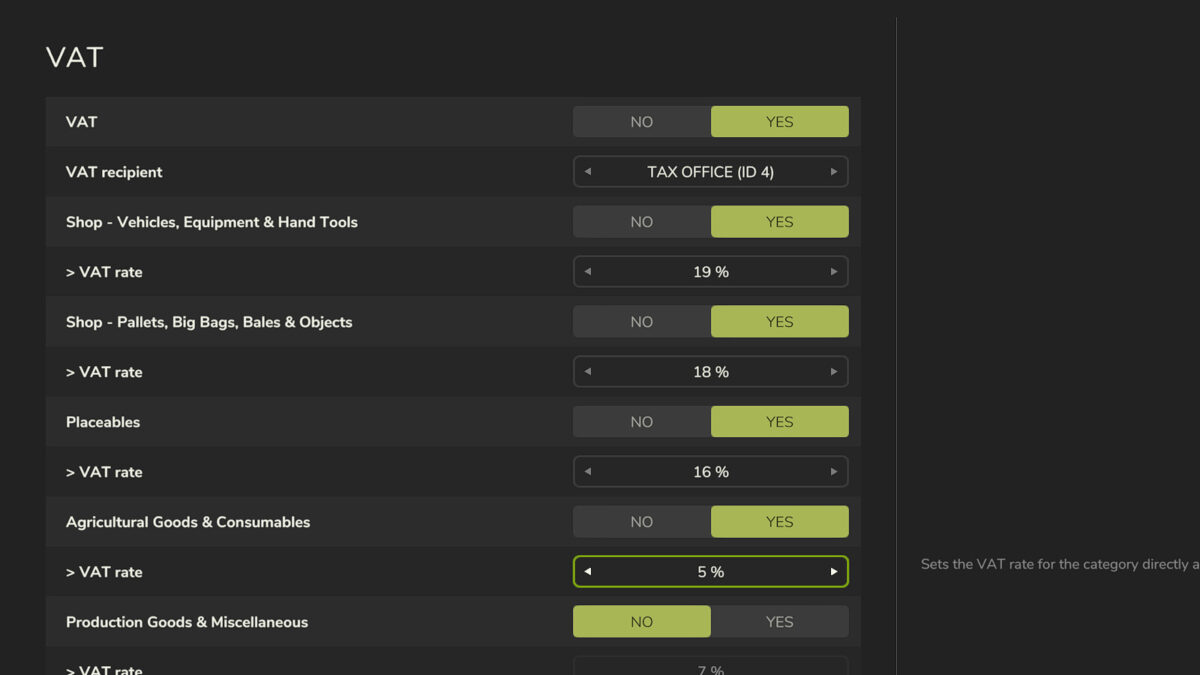
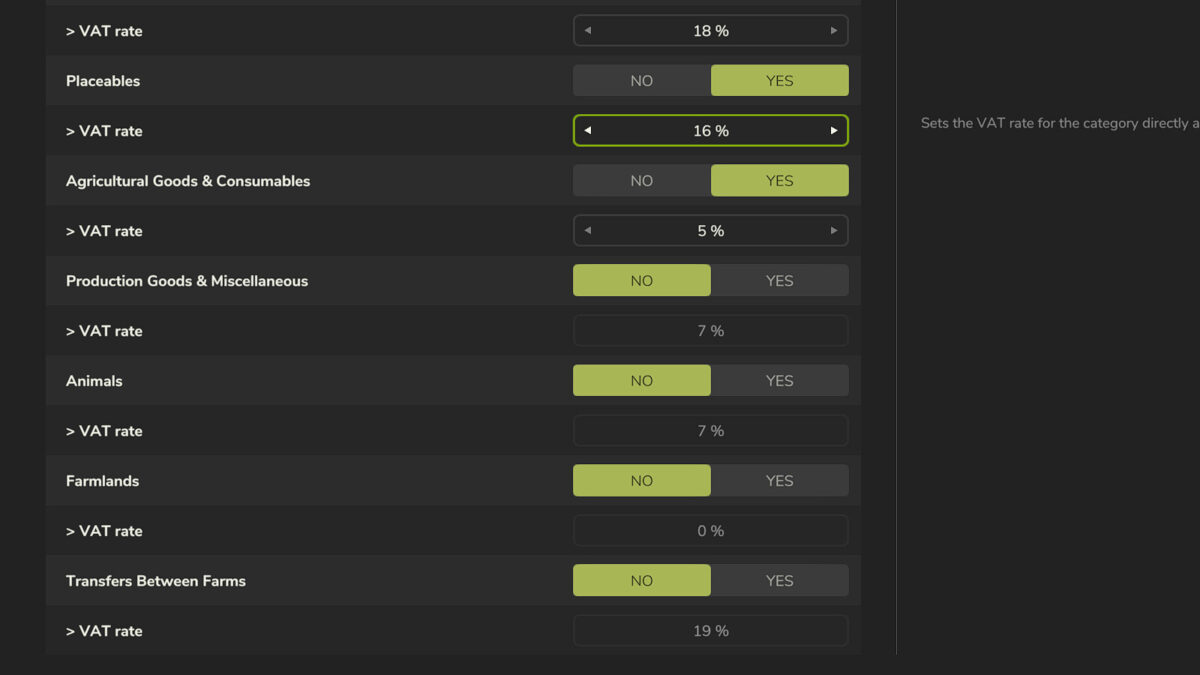
VAT can be enabled or disabled separately for each supported category, and an individual VAT rate from 0 to 30 percent can be configured for every category.
SUPPORTED CATEGORIES
– Shop – Vehicles, Equipment & Hand Tools
– Shop – Pallets, Big Bags, Bales & Objects
– Placeables
– Agricultural Goods & Consumables
– Production Goods & Miscellaneous
– Animals
– Farmlands
– Transfers Between Farms
VAT RECIPIENT
An existing farm can be selected as the VAT recipient in the game settings. VAT calculated by the mod is credited to this farm.
For purchases, the displayed purchase price remains the gross amount. The VAT included in that amount is calculated and credited to the selected VAT recipient.
For supported sales, the sales revenue remains the gross amount. The included VAT is deducted from the selling farm’s revenue and transferred to the VAT recipient.
When VAT on farm-to-farm transfers is enabled, the entered transfer amount is treated as a gross amount. The destination farm receives the net amount, while the included VAT is transferred to the selected VAT recipient.
FINANCE OVERVIEW
The mod registers a dedicated finance entry for VAT. This allows corresponding VAT transactions to be displayed separately as VAT in the finance overview.
ADMINISTRATION & MULTIPLAYER
The settings are available in the game settings and can only be changed by administrators. The configuration is saved with the respective savegame and synchronized in multiplayer.
Note: This mod provides a freely configurable VAT system for gameplay and roleplay purposes. It is not intended to represent the tax or legal system of any specific country.