

2016 Ford F-150 & F-350 v 1.0

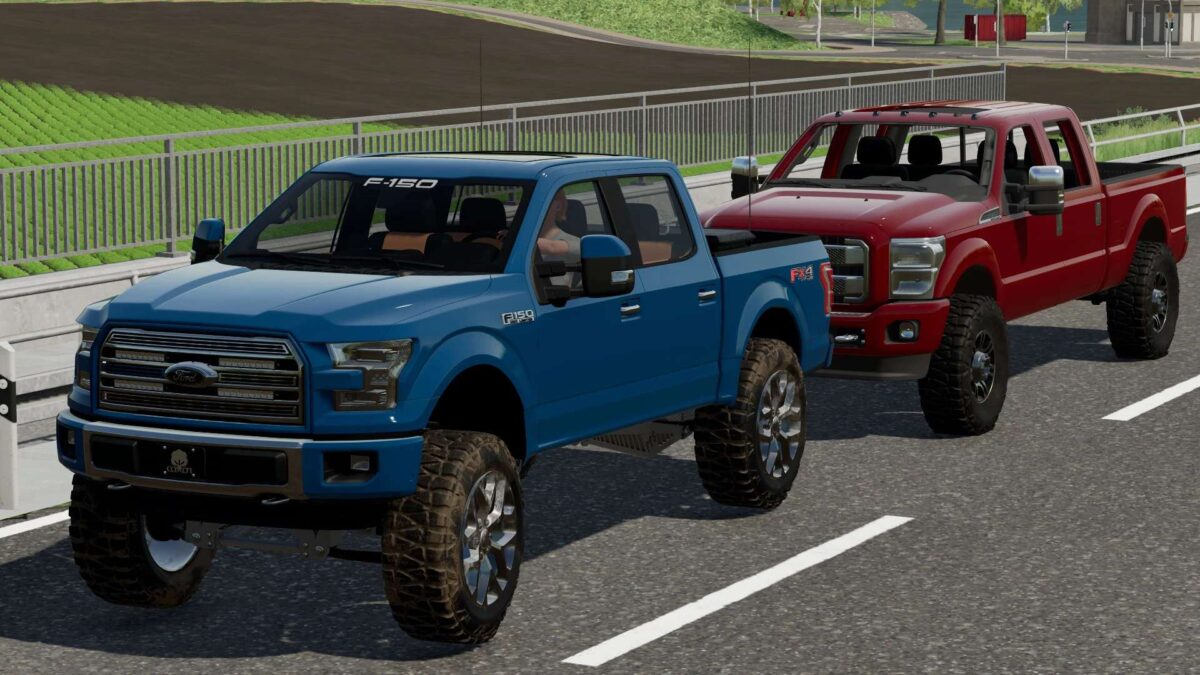
2016 Ford F-150 & F-350 v 1.0
About the mod:
Two Ford Trucks for Farming Simulator 22:
2016 Ford F-150:
– Power 300 hp
– Speed 120 km/h
– Selectable Wheels
– Selectable Mirrors
– Selectable Front Bumper
– Selectable Tool Boxes
– Selectable Roof Addons
– Selectable Decals
– Selectable Headache Racks
– Selectable Wip Setup
– Selectable Lighting
– Selectable Attachers
– Selectable Front Plates
– Selectable Design Color
– Choice of Color
2016 Ford F-350:
– Engine Setup: 300 hp, 450 hp, 550 hp, 690 hp
– Speed 120 km/h
– Selectable Wheels
– Selectable Attachers
– Choice of Color
Credits:
Coopers Mods, Canada FS, Destin