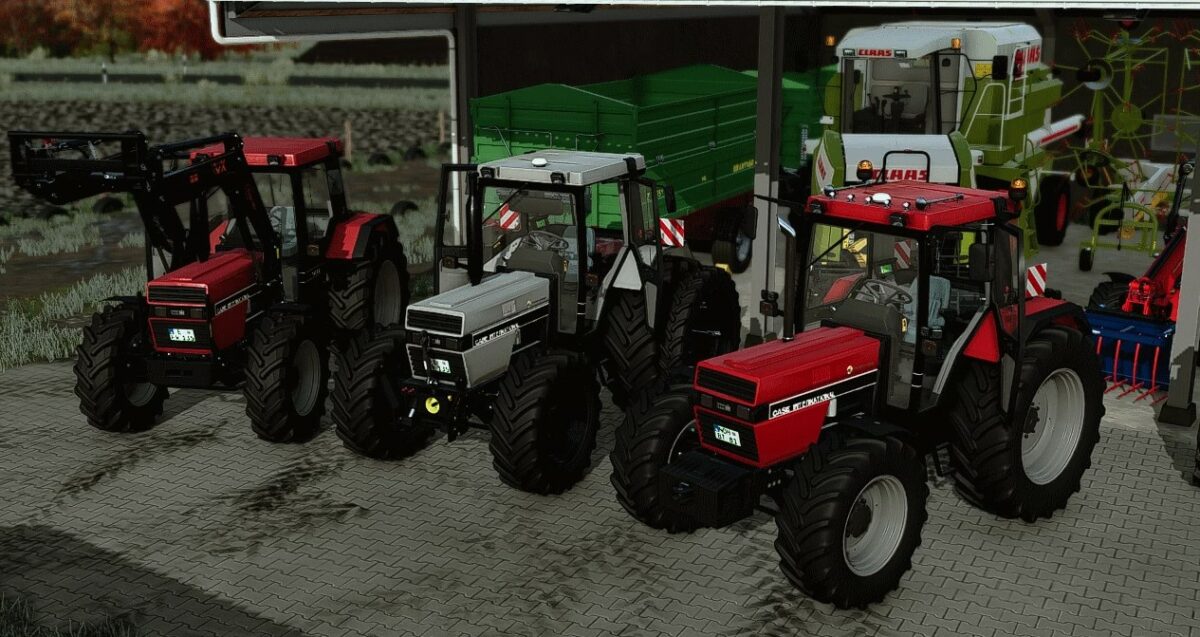
Case IH 745/844 XL Series v 1.0
About the mod:
Power: 70 – 80 hp.
Tire Manufacturer:
– Trelleborg
– Michelin
– Vredestein
– Mitas
– Continental
Frontloader Configurations:
– Stoll
– Elo
– Quick
– MP Lift
– Tusks
Front Mounting Configurations:
– Headstock
– Weight
– Front Hydraulics
Further Configurations:
– GPS Antenna
– Air Horns
– Warning Signs
– Roof Lights
– Led Headlights
Simple IC Functions:
– Door on the left
– The door on your right
– Sunvisor
– Light
– Rear window
– Fold in/out wall panels
Credits:
AgroMike [FBM], Marius, Bastian_Toom
How to install FS19 mods?
Firstly find a mod which you like and want to download. Then download a mod to your PC. Mods are usually in .zip format file. But sometimes it can be in .rar. If a mod file is a .zip format no needed additional actions. If a file is in .rar, then you must unarchive mod with software like WinRar or Zip7. Windows 10 users no need to use software for archives, Win10 itself has a feature to unarchive files.
The next step is to find mods folder in your PC. Usually, it is in Documents/My Games/Farming Simulator 19/2019. Open the "mods" folder and put downloaded .zip archive or unarchived .rar file to this folder.
Last step. Enjoy of FS19 mods!