

Easy Logging v 1.0.2.0

Easy Logging v 1.0.2.0
Easy Logging makes chainsaw forestry faster by automatically delimbing and cutting felled trees or long logs into a selected length.
Fell the tree normally, let it fall, and Easy Logging processes the usable trunk into normal split shape wood pieces.
Features:
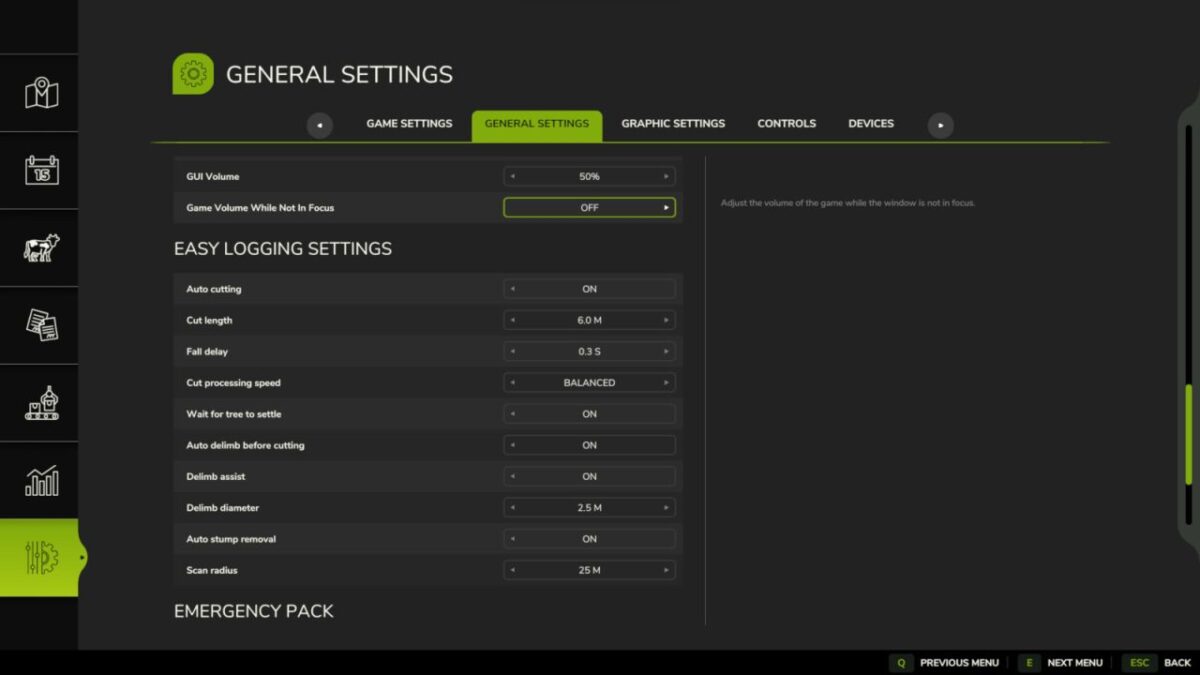
Automatic log sectioning with 2, 3, 4, 5, 6, 8, 10 and 12 m presets
Optional automatic delimbing before section cutting
Optional automatic stump removal
Native settings in ESC > Game Settings
Adjustable fall delay and scan radius
Cut Processing Speed presets for smoother or faster processing
Optional wait for the tree to settle before section cutting
Delimb assist with adjustable delimb diameter
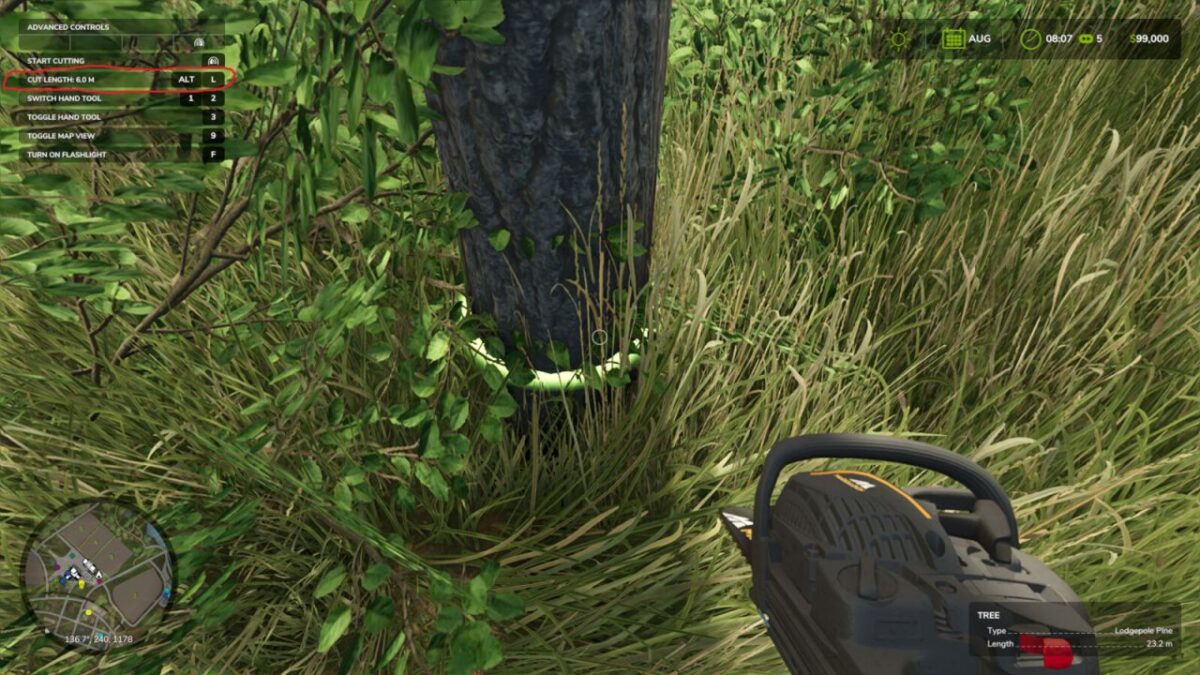
F1 help shows the current cut length while holding a chainsaw
Rebindable cut-length control
Default control:
Cycle target length: Left Alt + L
Version 1.0.2.0:
* Moved Easy Logging settings to the native ESC > Game Settings menu
* Added F1 cut-length display and rebindable cut-length cycling
* Improved automatic delimbing performance
* Reduced automatic log cutting overhead
* Added Cut Processing Speed settings
* Added optional Wait For Tree To Settle
* Improved section cutting reliability
* Improved stump cleanup performance
* Removed the retired custom settings menu
* Cleaned release code and settings persistence