

Farming Cheat Menu v 1.0

Farming Cheat Menu v 1.0
Farming Cheat Menu – Active Development
One menu that could handle the repetitive parts of Farming Simulator 25: moving equipment, setting up for contracts, keeping animals supplied, and managing money. This mod brings those tools together in a Fleet, Animal Care, Finances, and Equipment Planner dashboard.
Fleet and transport
See your owned vehicles and equipment in one list, with their location, distance, fuel, and condition where the game provides it. You can teleport to a machine, bring it to a clear spot near you, or mark several groups to move together. Attached trailers and secured equipment travel with their group. Mark machines from the menu, select everything you own within a chosen radius, or aim at a vehicle on foot and mark it with the laser tool. You can also pick a destination on the map and choose whether marks clear after a successful move. Refuel and repair individual vehicles or the whole fleet, with paid and free options.
Equipment Planner
Pick an accepted contract and compare Low End, Mid Tier, and Expensive equipment packages. The planner covers 16 standard FS25 contract types, from sowing and harvesting to baling, forestry, and rock removal. It uses the map’s contract equipment sets, matches crop and bale types, shows the full package price, and lets you browse alternatives. You can buy and deliver a complete set normally or use the free option. Excavation Contracts gets its own digging packages when that mod is installed. Implements arrive separately, so you still need to attach them and supply seed, fertilizer, or herbicide where needed.
Animal Care
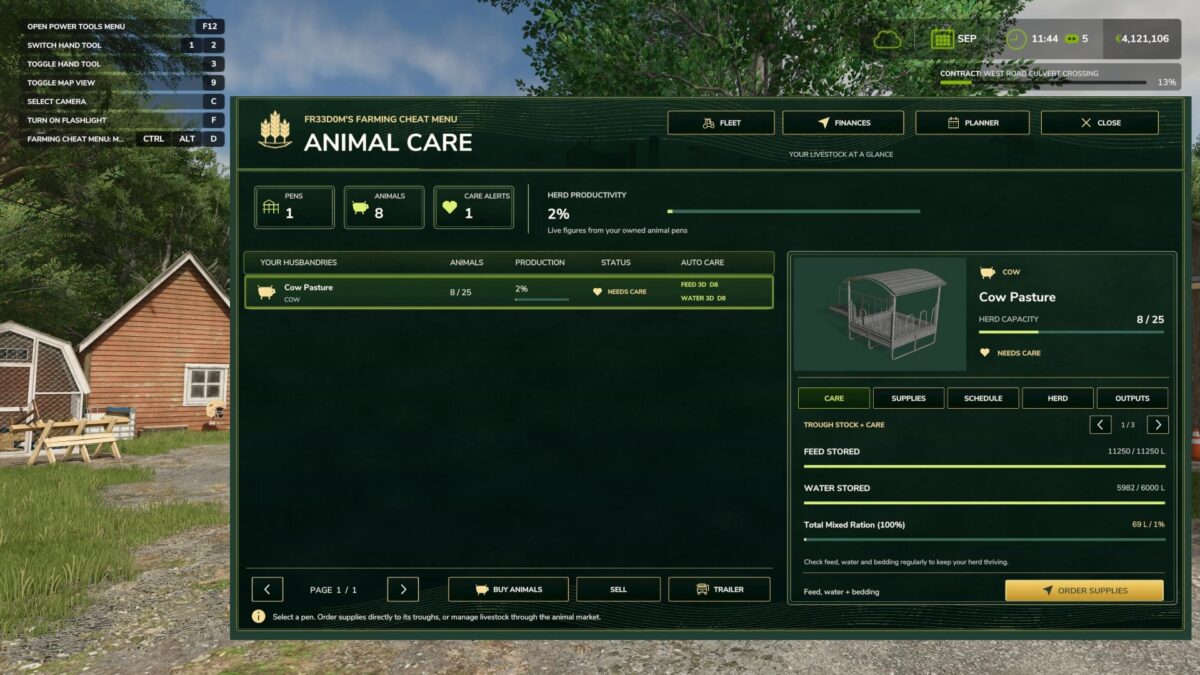
Check your owned pens, herd, production, supplies, and outputs. Buy or sell animals through the game’s livestock interface, or open its trailer option. Order feed, water, and bedding directly into supported troughs, with a paid or free choice and a receipt showing what was actually stored. Set separate feed and water plans for each pen: daily, every three days, weekly, every two weeks, once on a chosen game day, or when supplies fall below a selected percentage. The pen list shows which plans are active and when they’re due.
Farm Finances
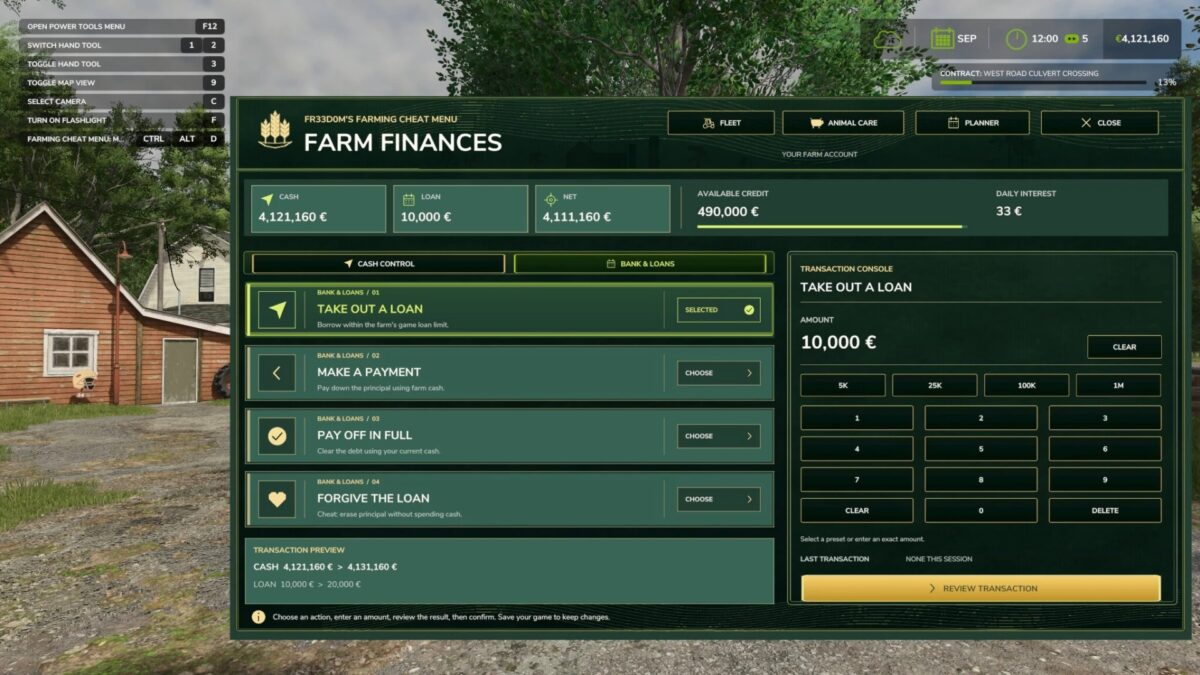
Add or remove money, set an exact balance, borrow within the game’s loan limit, make payments, pay a loan off, or forgive it. Each change has a review and confirmation screen.
Press Ctrl+Alt+F to open Fleet. The menu can open with Cheat Menu mode off; turn Mode on there to use the transport and planner controls.