

Grain Volume HUD v 1.0

Grain Volume HUD v 1.0
Ever noticed this? You pull up with a trailer filled to the brim, glance at the display – and it reads: 42,000 litres of wheat. Litres? For wheat? Who measures a whole heap of grain in litres!
Water, milk, diesel – sure, you can pour those and measure them in litres. But grain, silage, woodchips? That’s a heap, not a drink. And a heap is measured in cubic metres. Just like moving house: you don’t say „I’ve got 12,000 litres of boxes”, you say „twelve cubic metres”.
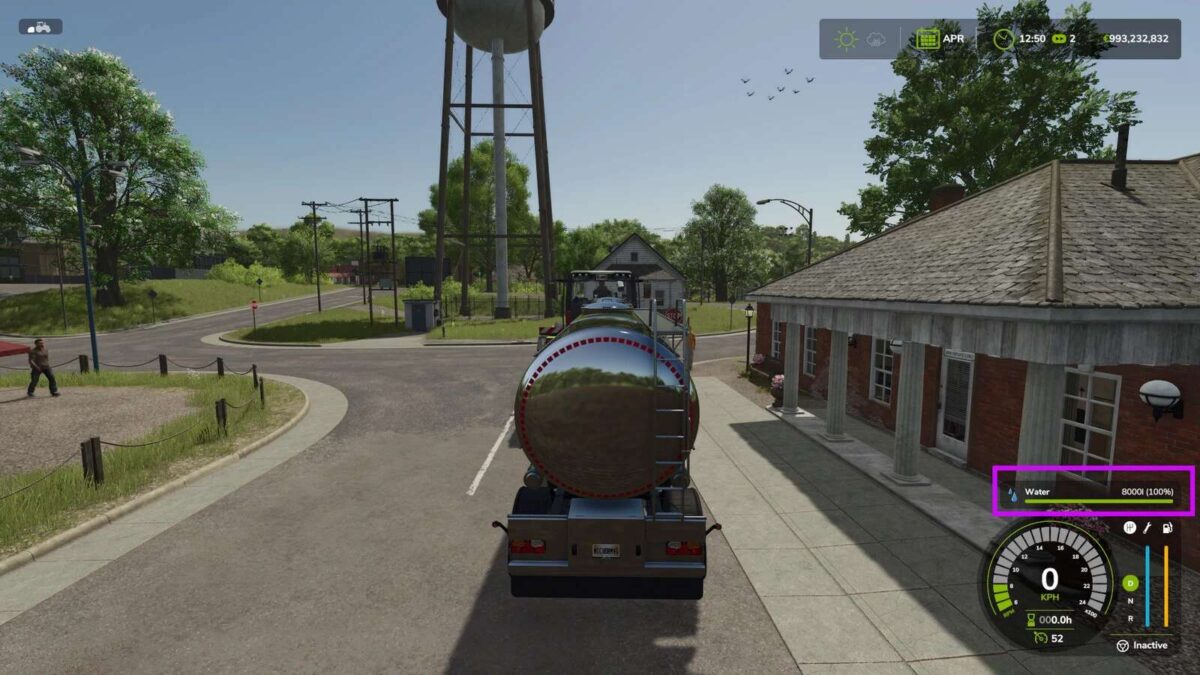
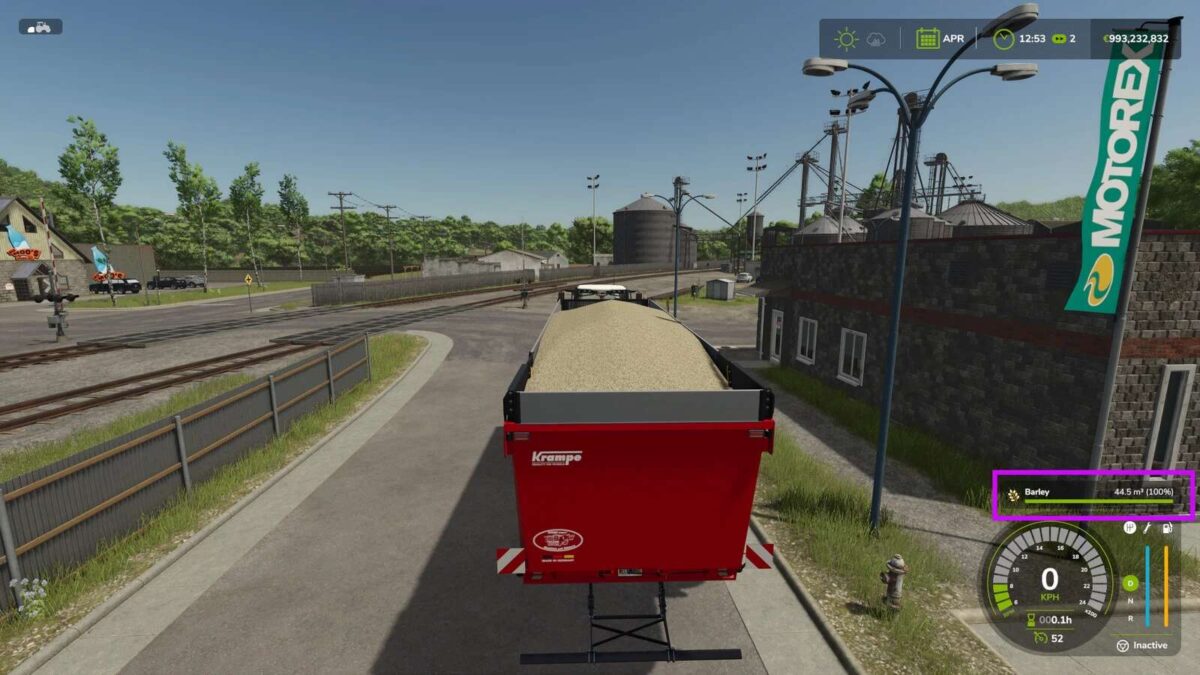
And that’s all this mod does. It looks at what’s sitting in your trailer. Bulk goods? It quickly turns the litres into cubic metres on the display – 42,000 litres becomes 42.0 m³. A liquid instead – water, slurry, diesel? Then everything stays in litres, because that’s exactly where litres belong.
Sounds complicated? It really isn’t. Nothing to set up, nothing to press. Load as always, look at the display – and see at a glance how much is really on there.
And so your fill-level HUD now shows cubic metres where cubic metres belong.
What the mod does:
Bulk goods (grain, silage, grass, woodchips, root crops …) shown in m³
Liquids (water, milk, diesel, slurry, liquid fertiliser …) stay in litres
Nothing to configure, just runs
Multiplayer-friendly (display only, no changes to gameplay)