

Krone Big M 950 Pro v1.0

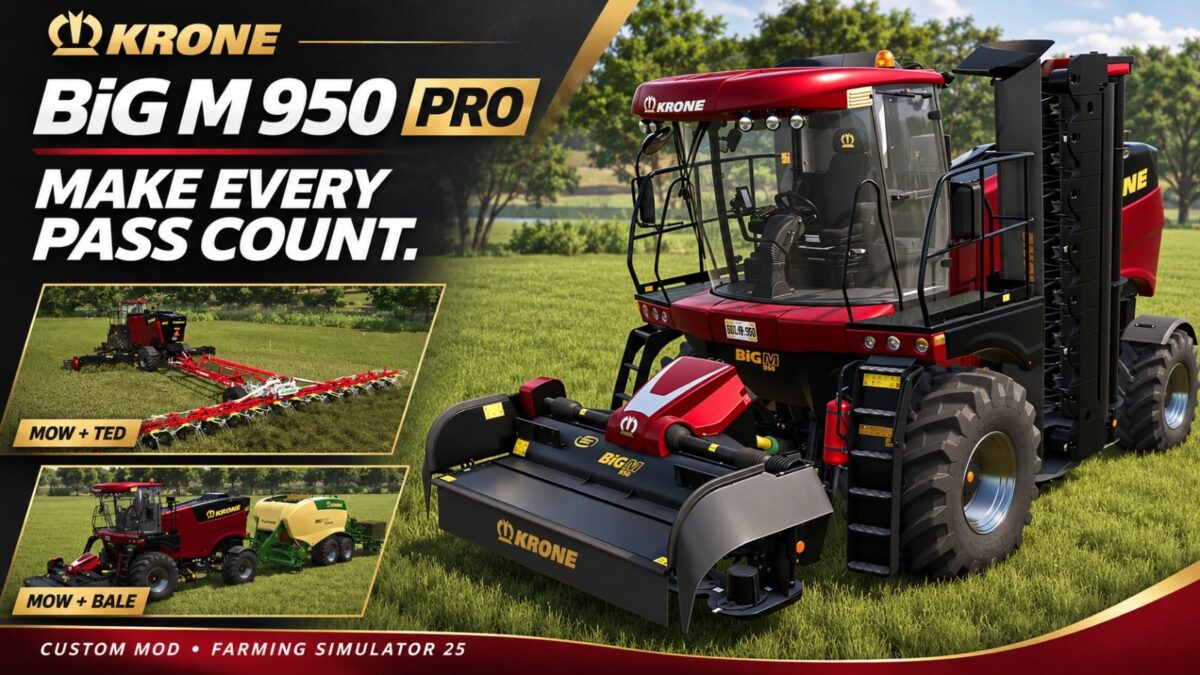

Krone Big M 950 Pro v1.0
Introducing the BiG M 450’s big brother, the BiG M 950 Pro!
The BiG M 950 Pro combines wide cutting options, manoeuvrability and enormous power reserves to tackle large fields and demanding terrain.
950 hp diesel engine with boosted torque.
Selectable 10 m, 25 m and 50 m cutting widths.
Dual rear PTO connections with upper and lower hitches for tedders, windrowers, forage wagons and balers.
Customizable frame, body, curtain, decal, interior, rim and hub colors.
Selectable standard or 25 mph working speed.
US and EU appearance options.
Lower hitch operation
For best results, attach lower-hitch implements after the mower has risen to its operating height. Attaching while the mower is at its lower parked height may cause the rear of the mower to lift as the connection aligns.