

Recovery Winch v 1.0

Recovery Winch v 1.0
Expand your recovery options in Farming Simulator 25. Recover stuck vehicles, help other players or use a loading-bed winch to pull vehicles onto a transporter.
Features
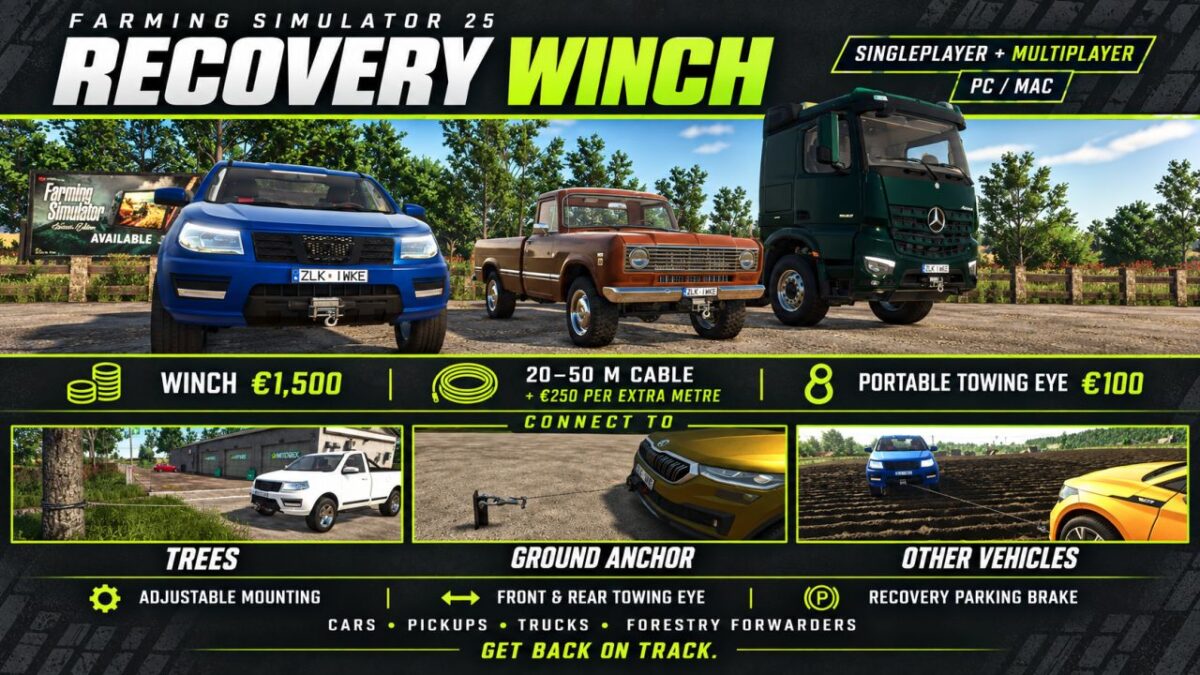
– Configurable bumper winch for cars, pickups, trucks and forestry forwarders.
– Loading-bed winch for compatible vehicles and trailers with loading ramps.
– Adjustable mounting position through the vehicle shop.
– Cable lengths from 20 to 50 metres, in 5-metre increments.
– Connect to trees, a placeable ground anchor, removable towing eyes and suitable vehicle, trailer or implement couplings.
– Removable towing eye for the front or rear bumper of compatible cars, pickups and trucks.
– Connect to vehicles belonging to other players and farms.
– Recovery parking brake to help hold the winch vehicle in place while pulling.
– Loading-bed steering assistance with a visible helper character. The assistant does not start the engine or apply throttle.
– Winch sounds and translations in 27 languages.
Controls and settings
Purchase the equipment through the vehicle configuration menu. Pick up the cable with Y by default. Available actions appear in the F1 help menu.
Hosts and server administrators can access the settings under ESC → Settings → General Settings → Recovery Winch. Options include diagnostics and allowing bumper winches on additional vehicle categories.
Prices
– Winch with 20-metre cable: €1,500
– Additional cable length: €250 per metre
– Removable towing eye: €100
Compatibility
For PC/Mac. This scripted mod supports singleplayer and multiplayer. Automatic mounting and loading-bed detection may vary between vehicle mods; check the mounting position in the shop.
Current status: Beta. Loading-bed steering assistance and braking behaviour in some recovery situations are still being improved.